
In many different businesses, efficient project management is crucial to the success of any organization. The right project management tool can make all the difference in ensuring optimal team collaboration, streamlined processes, and successful project outcomes. Online project management software plays a key role in enabling remote collaboration and providing real-time project updates, making it easier for teams to stay connected and informed from anywhere. But with so many options available, how do you choose the best one for your team? This blog will walk you through the top project management tools of 2026, their unique features and limitations, and essential tips for selecting the perfect tool to support your team’s needs and project management methodologies.
Key takeaways
- Reviews top project management tools like Asana, Monday.com, Trello, ClickUp, and Smartsheet, each suited for different team sizes and workflows
- Core features to look for include task management, collaboration, reporting, integrations, and resource planning
- Free tools are good for small teams, while paid tools offer advanced capabilities for complex projects and scalability
- Choosing the right tool depends on factors like cost, ease of use, team needs, and alignment with methodologies like Agile or Waterfall
- Project management tools improve productivity, collaboration, and project outcomes by centralizing communication and tracking progress
What is Project Management?
Project management is the discipline of planning, organizing, and controlling resources to achieve specific goals within a defined timeline and budget. At its core, project management ensures that every aspect of a project, from scope and schedule to cost and quality, is carefully managed to meet stakeholder expectations. The right project management software enables project managers to efficiently manage projects by streamlining task assignments, tracking progress, and optimizing resource allocation. By leveraging these digital solutions, project managers can keep projects on track, ensure transparency, and deliver successful outcomes.
Benefits of Using Project Management Tools
Adopting project management tools brings a host of benefits that can transform the way teams work together and deliver results. These management tools empower project managers to assign tasks efficiently, track progress in real time, and manage resources with precision. By providing a centralized platform for project data, project management tools enhance project performance and help teams stay aligned with project goals.
One of the biggest advantages is improved collaboration; team members can communicate, share updates, and access important documents all in one place, ensuring everyone is on the same page. Project managers also gain valuable insights into project performance, allowing them to identify potential issues early and make informed decisions to keep projects on track. Ultimately, using project management tools leads to better project outcomes, higher productivity, and more satisfied stakeholders.
Top project management tools for 2024
Project management tools play a vital role in managing projects efficiently and effectively. These best project management tools help project managers and teams to plan, track, and collaborate on multiple projects, often utilizing a project board to visualize and organize tasks for better workflow and team coordination. We will look at the top project management tools of 2026, showcasing options like Asana, Monday.com, Trello, Kumospace, Wrike, ClickUp, and Smartsheet. Each tool offers a unique set of features and capabilities, catering to different team sizes and project complexities, and supporting multiple teams working on interconnected tasks. Some tools also offer project portfolio management, enabling organizations to oversee and prioritize multiple projects within a comprehensive portfolio.
In the ensuing sections, we’ll conduct a detailed analysis of these tools, illuminating their salient features, strengths, and limitations. This information will help you in identifying the right project management tool that aligns with your team’s needs and project management methodologies.
Asana
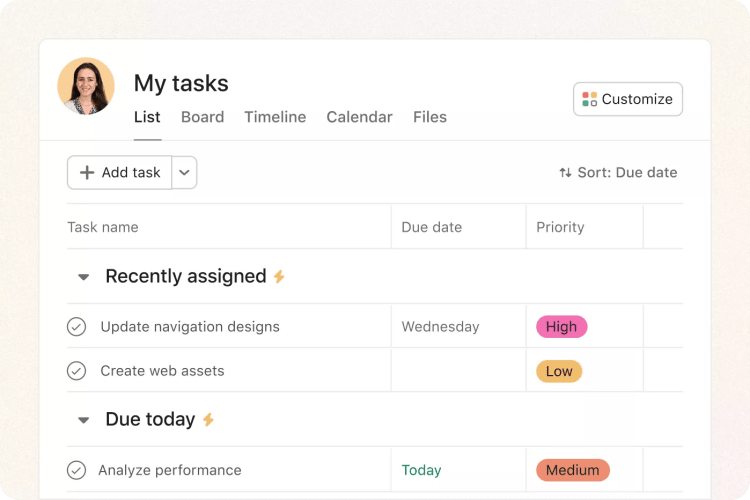
Asana stands out as one of the most comprehensive project management platforms, offering a user-friendly interface, powerful features, and numerous integrations. Its key features include:
- Workflow Builder: a powerful visual tool that enables users to create tailored workflows and connect team members, making it an excellent choice for project planning.
- Task management: provides powerful task management capabilities, allowing users to create and assign tasks with just a few clicks. Asana's intuitive task creation process makes it easy to set due dates and track progress, streamlining workflow for teams of all sizes.
- Collaboration: offers robust collaboration capabilities, allowing team members to communicate, share files, and collaborate in real-time.
Asana offers a Free plan for up to 15 users, making it one of the best free project management tools available. However, it has some limitations, such as a less intuitive mobile app, no support for assigning tasks to multiple users, and limited time-tracking features in lower-tier plans. Asana’s Premium plan starts at $10.99/month/user, and the Business plan starts at $24.99/user/month when paid annually. While Asana provides multiple support options, it lacks phone or live chat support, which can be a drawback for teams managing multiple projects that require timely responses.
Monday.com
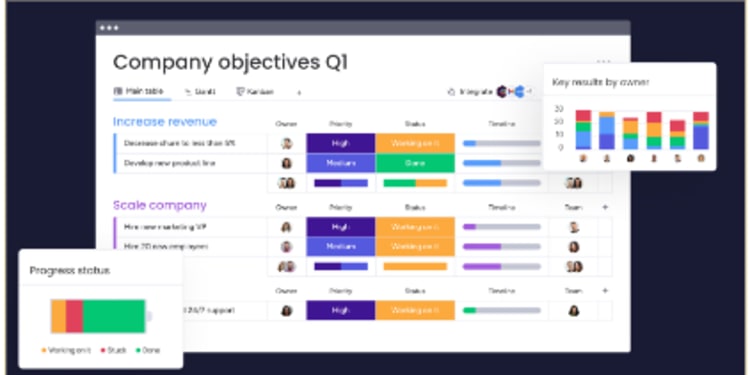
Monday.com is a visually appealing project management platform that offers:
- Customizable dashboards
- Pre-built templates
- Automation features, including the ability to automate recurring tasks to streamline workflows
With over 200 templates, unlimited docs, and advanced project-tracking capabilities, Monday.com is an excellent tool for managing projects efficiently. However, it has a complex pricing system and does not offer a freemium plan.
Some of the limitations of Monday.com include limited task dependencies based on dates, and certain features, such as Gantt charts, calendar views, automation, time tracking, and integrations, are only available on pricier plans. Comparatively, MeisterTask provides user-friendly Kanban boards and Gantt charts, making it a suitable alternative for teams with different project management requirements.
Trello
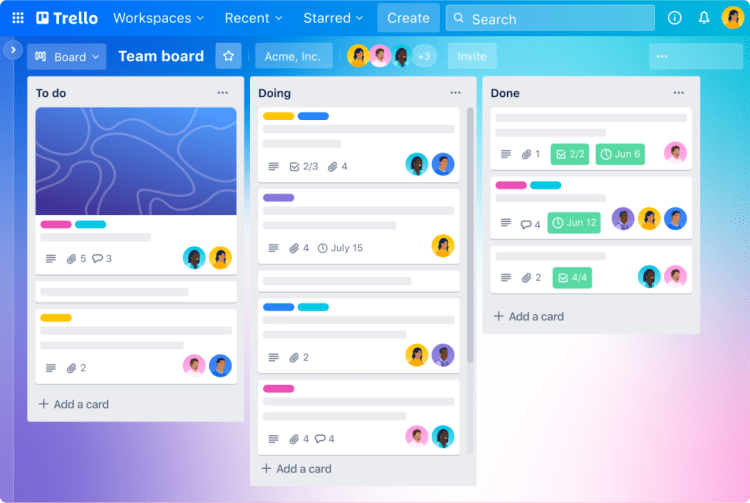
Trello is a widely used Kanban-based project management platform featuring a user-friendly interface, automated workflows, and multiple integrations. It utilizes boards, lists, and cards to formulate tasks and maintain organization, providing basic task management capabilities that help teams organize work and communicate efficiently. Users can collaborate within the cards, share files, and provide comments. However, Trello is best suited for individual or small teams managing a limited number of projects, as it is limited in terms of reporting functionality and project tracking features. It also lacks portfolio management features needed for high-level planning and strategic oversight.
Trello offers a free basic plan, with paid plans that include:
- Automation
- Integrations
- Priority support
- Other features
The availability of a free plan makes Trello an accessible option for teams looking to test the waters before committing to a more comprehensive project management tool.
Wrike
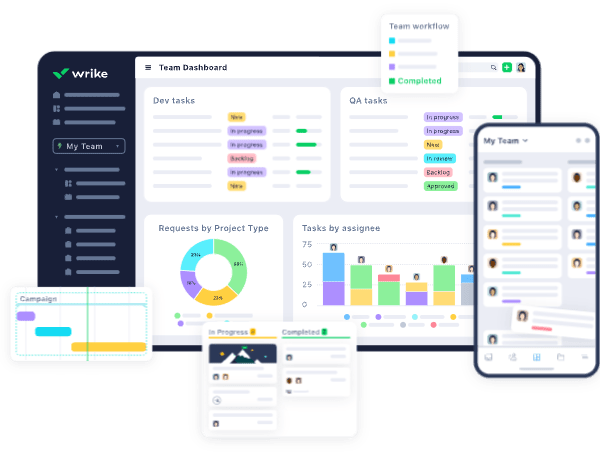
Wrike is a powerful and versatile solution designed to facilitate collaboration and communication among teams, agencies, and professional service providers. It offers an array of top-notch collaboration, communication, and document management tools, which facilitate setting priorities and aligning teams to work efficiently and intelligently. Wrike is an ideal platform for teams within organizations. It can be used by departments, such as marketing, software development, development teams (especially for agile project management), and professional services.
The cost of Wrike’s Team plan is $9.80 per user per month (billed annually), with a minimum of two users and a maximum of 25 users. The Business plan is priced at $24.80 per user per month, with a minimum of five users and a maximum of 200 users, billed annually. Wrike’s advanced features, customizable workflows, and robust reporting capabilities make it a valuable tool for teams; however, it may have a steep learning curve and an unintuitive interface.
ClickUp
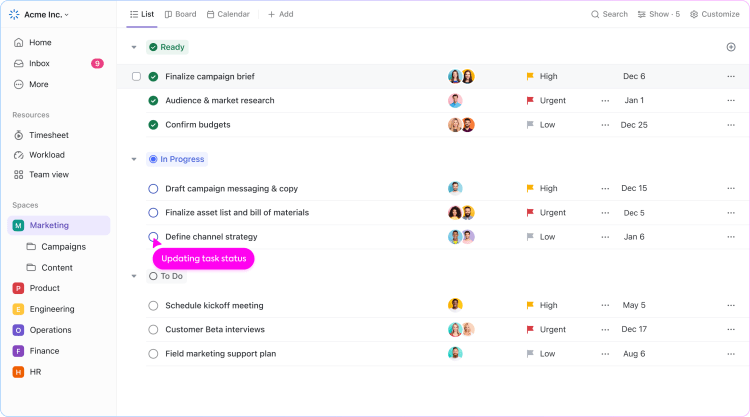
ClickUp is a productivity solution designed to assist in the management of tasks, notes, projects, and time. It offers:
- Customizable views, statuses, features, and processes, making it adaptable to various team needs and helping teams manage tasks efficiently
- Connections to numerous third-party apps, including Slack, Google Calendar, Outlook, and HubSpot, enhance its integration capabilities
- An impressive customer rating of 4.7/5 on Capterra, based on over 3,600 customers.
ClickUp offers a free plan, suitable for personal use and those who are new to project management, with a limited file storage capacity of 100MB. The monthly fee for the paid plan is $4.99 per user. Subscribing to this plan allows you access to more features than the free version. While ClickUp is an excellent choice for any team requiring advanced project management features, especially those with Scrum Agile product development, software development teams, marketing, and sales teams, it may have occasional downtime and limited proofing and approval features.
Smartsheet
Smartsheet is a cloud-based project planning software solution. It offers:
- Collaboration on tasks and projects in real-time using an easy-to-understand spreadsheet approach, with robust resource planning capabilities for enterprise-level planning and resource allocation
- Automated workflows, forms, and proofing features to streamline processes and enable faster and more efficient collaboration
- Ideal solution for larger companies that rely on spreadsheets for data and project organization
- Assistance with collaborative workflows to help teams work better together
However, Smartsheet has a steep learning curve for users who do not possess extensive familiarity or expertise with spreadsheets. It offers various pricing plans, with the Team plan starting at $9.80 per user per month (billed annually), and the Business plan starting at $24.80 per user per month, with a minimum of five users and a maximum of 200 users, billed annually.
Kumospace
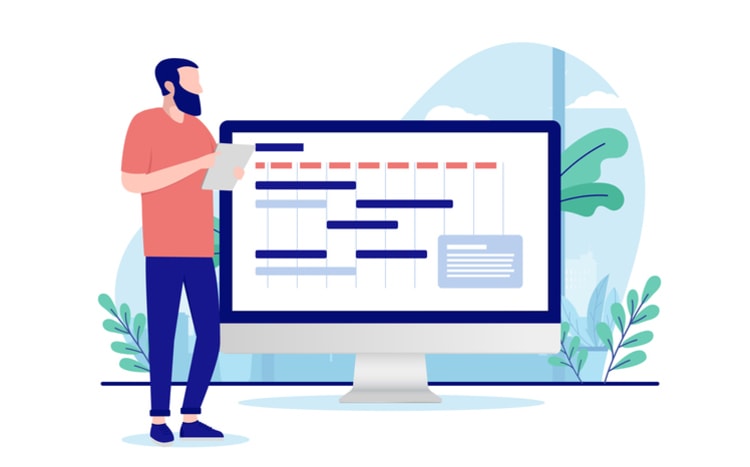
Choosing the right communication platform is critical to successful project management, and Kumospace delivers a clear advantage by combining collaboration, visibility, and engagement in one unified environment. Teams using Kumospace report up to a productivity boost, with shorter, more focused meetings that average just 9 minutes. By replacing fragmented tools like Zoom and Slack, organizations can save significant time and cost per employee each year while streamlining how work actually gets done.
Kumospace improves project execution by increasing real-time visibility between managers and team members, making it easier to track progress, coordinate tasks, and keep projects aligned with goals. Its immersive virtual workspace, built-in video conferencing, and integrated team communication reduce friction and eliminate the disconnect common in traditional tools. At the same time, features like spatial audio and interactive environments foster stronger team culture and collaboration. The result is a more connected, efficient, and motivated team, which directly translates into faster delivery and more successful project outcomes.
Essential features of project management tools
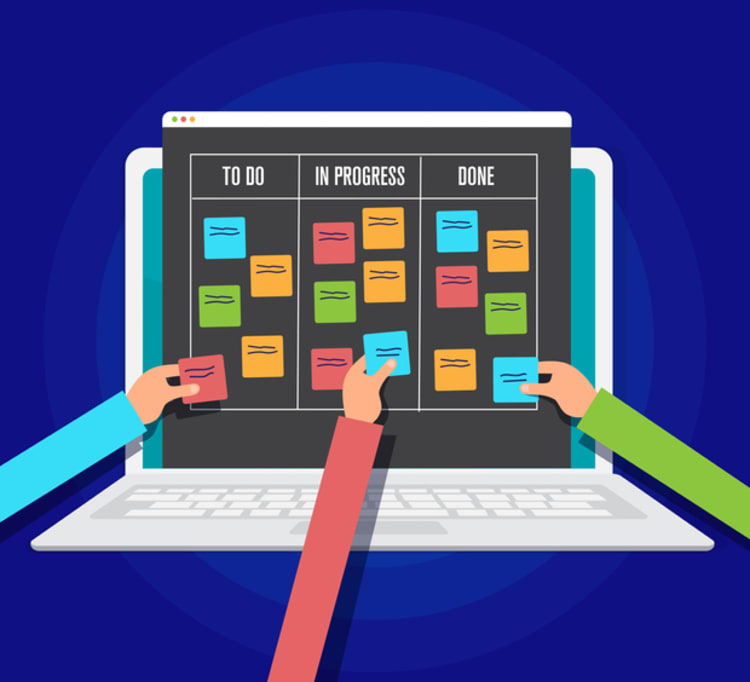
While picking a project management tool, considering the indispensable features assisting your team in proficient project management is imperative. Some key features to look for include:
- Task management
- Collaboration
- Reporting
- Integration capabilities
- Resource management features
- Project details
- Project timeline
- Project costs
Task management helps teams assign, track, and prioritize work so everyone understands responsibilities and deadlines. Collaboration features support communication, file sharing, and real-time updates, improving teamwork and efficiency.
Reporting tools provide insights into progress and performance, while integrations connect with other software to streamline workflows. Resource management helps allocate time and people effectively, and timeline tools like Gantt charts keep projects on schedule. Cost tracking ensures budgets stay under control. Choosing the right project management tool helps teams stay organized, improve productivity, and successfully deliver projects.
How to choose the right project management tool

Choosing a project management tool can be challenging due to the multitude of options. To make a judicious choice, one should weigh factors such as features, user-friendliness, cost, and scalability. Start by identifying your team’s specific needs and requirements in terms of project management features, such as task management, resource management, project tracking, reporting, and collaboration tools.
Ease of use is another crucial factor to consider, as a user-friendly interface and accessible tutorials and support can greatly enhance your team’s productivity and adoption of the tool. Pricing is an important aspect, especially for small businesses with limited budgets. Look for tools that offer flexible pricing plans to accommodate your team’s size and budget constraints.
Finally, consider the scalability of the tool, ensuring that it can handle your team’s growth and increasing project complexity. By taking these factors into account, you can confidently select the right project management tool that will support your team’s success and help your team complete projects efficiently and effectively.
Implementing Project Management Tools
Successfully implementing project management tools requires thoughtful planning and a structured approach. Project managers should begin by assessing their team’s project management needs and selecting a management tool that aligns with their workflow and objectives. Once the right tool is chosen, it’s important to configure it to match the team’s project management methodology and processes.
Training team members on how to use the new tool is essential for smooth adoption and maximizing its benefits. Establishing clear guidelines and procedures for using the tool helps ensure consistency and accountability across the team. Regularly monitoring the tool’s effectiveness and gathering feedback from team members allows project managers to make adjustments and continuously improve project outcomes. By following these steps, project managers can leverage management tools to enhance collaboration, streamline workflows, and deliver successful projects.
Summary
Project management tools are essential in 2026 for keeping teams organized, improving collaboration, and delivering projects efficiently, especially in remote and fast-paced environments. With many options available, the key is choosing a tool that fits your team’s size, workflow, and project complexity.
Popular platforms like Kumospace, Asana, Monday.com, Trello, ClickUp, Wrike, and Smartsheet each serve different needs, from simple task tracking to complex enterprise planning. Core features to look for include task management, collaboration, reporting, integrations, and resource planning. Free tools work well for small teams, while larger organizations benefit from paid solutions that offer scalability and advanced capabilities. Ultimately, the right tool depends on factors like ease of use, cost, and alignment with your team’s methodology (such as Agile or Waterfall).
When implemented effectively, project management tools centralize communication, streamline workflows, and significantly improve productivity and project outcomes.
Frequently asked questions
Project Management is composed of five basic principles: initiating, planning, executing, monitoring and controlling, and closing. These steps ensure that the project objectives are met, resources are organized and utilized efficiently, risks and changes are assessed regularly, and progress is monitored to completion.
For managing projects effectively, ClickUp is an excellent choice that caters to all business sizes and provides a range of powerful features such as task management, customizable workflows, Gantt charts and project collaboration tools.
When selecting a project management tool, be sure to look for features such as task management, collaboration, reporting, and integration capabilities. These are essential for an effective solution.
Ensure that the project management tool can handle the current number of users, projects, and tasks, as well as having the ability to expand and grow with your team.
Project management tools commonly used include Gantt charts, Logic Networks, PERT charts, Product Breakdown Structures and Work Breakdown Structures.




